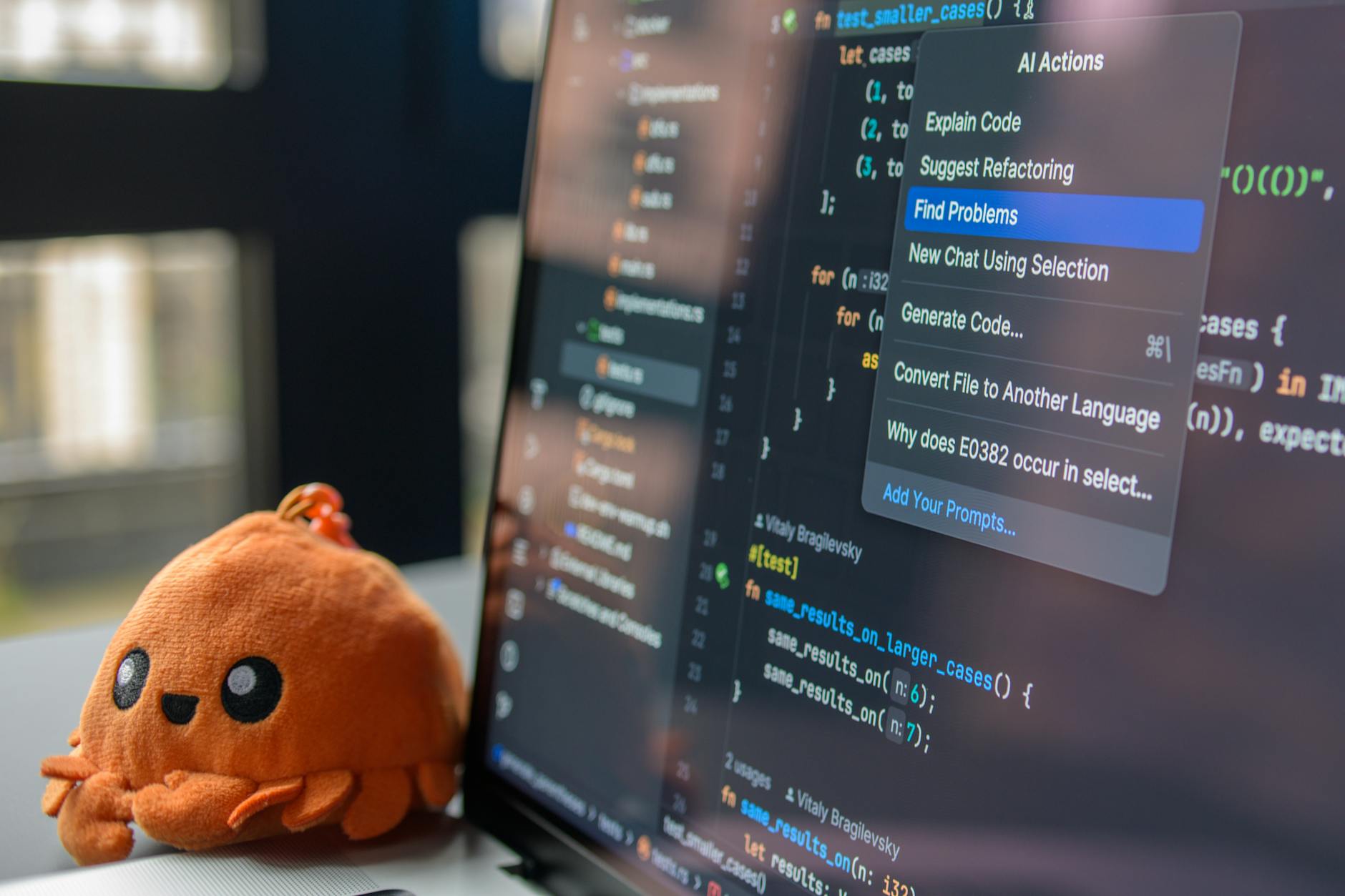
17 AI Tools That Are Quietly Replacing Developer Workflows in 2026
📷 Daniil Komov / Pexels17 AI Tools That Are Quietly Replacing Developer Workflows in 2026
From code generation to testing and deployment — these AI tools are changing how developers actually ship code. Most are free.
Introduction: The AI Revolution in Software Development
The landscape of software development has undergone a seismic shift. In 2026, artificial intelligence is no longer a novelty or an experiment -- it is deeply embedded in every stage of the development lifecycle. From writing your first line of code to deploying and monitoring production systems, AI tools are accelerating workflows, catching bugs earlier, and helping developers focus on creative problem-solving rather than repetitive tasks.
Whether you are a solo developer building a side project, a startup CTO choosing your tech stack, or a senior engineer at a Fortune 500 company, understanding the current AI tooling ecosystem is essential. This guide provides an in-depth, practical overview of the best AI tools available for developers in 2026, organized by category. We will cover code assistants, code review tools, testing tools, documentation generators, and more.
If you are a developer who uses online utilities like our JSON Formatter or Regex Tester for daily tasks, you will appreciate how AI is making these kinds of tools even smarter and more integrated into your workflow.
AI Code Assistants: The New Standard
AI code assistants have become the most visible category of AI developer tools. They sit inside your editor, understand your codebase, and help you write code faster and with fewer errors. Here are the leading options in 2026.
Claude (Anthropic)
Claude has established itself as one of the most capable AI assistants for developers. With its large context window and strong reasoning capabilities, Claude excels at understanding complex codebases and providing thoughtful, well-structured code.
Key strengths:
- Massive context window: Claude can process extremely large files and entire codebases, making it ideal for refactoring and architecture-level questions
- Strong reasoning: Claude does not just autocomplete -- it reasons about your code, identifies potential issues, and suggests improvements
- Claude Code CLI: The official command-line tool lets you interact with Claude directly from your terminal, making it seamless for tasks like code generation, debugging, and file editing
- Safety and reliability: Claude is designed to be honest about what it does and does not know, reducing the risk of confidently wrong suggestions
Best for: Complex reasoning tasks, large codebase analysis, architecture decisions, and developers who value thoroughness over speed.
GitHub Copilot
GitHub Copilot, powered by OpenAI models and deeply integrated with GitHub's ecosystem, remains one of the most popular AI code assistants. Its tight integration with VS Code and the broader GitHub platform makes it a natural choice for millions of developers.
Key strengths:
- Editor integration: Works seamlessly in VS Code, JetBrains IDEs, and Neovim
- Copilot Chat: Ask questions about your code, generate tests, and get explanations inline
- Copilot Workspace: A newer feature that helps plan and implement changes across multiple files
- GitHub ecosystem: Deep integration with pull requests, issues, and GitHub Actions
Best for: Developers already in the GitHub ecosystem who want inline code suggestions and quick completions.
Cursor
Cursor has emerged as a game-changer by building an entire IDE around AI-first principles. Rather than bolting AI onto an existing editor, Cursor was designed from the ground up with AI assistance at its core.
Key strengths:
- AI-native IDE: The entire editor experience is designed around AI interaction
- Multi-file editing: Cursor can make coordinated changes across multiple files simultaneously
- Codebase awareness: It indexes your entire project for context-aware suggestions
- Composer mode: Describe what you want in natural language and Cursor generates the implementation across your project
Best for: Developers who want the deepest possible AI integration in their editing experience and are willing to switch from their current IDE.
ChatGPT (OpenAI)
While not strictly an IDE plugin, ChatGPT remains an indispensable tool for many developers. Its broad knowledge base and conversational interface make it excellent for brainstorming, debugging, and learning new technologies.
Key strengths:
- Broad knowledge: Covers virtually every programming language, framework, and technology
- Code Interpreter: Can execute Python code and analyze data in real-time
- Custom GPTs: Create specialized assistants for your specific tech stack or coding standards
- Multimodal input: Upload screenshots of error messages or UI designs for analysis
Best for: General-purpose coding help, learning new technologies, and brainstorming solutions.
Comparison Table: AI Code Assistants
| Feature | Claude | Copilot | Cursor | ChatGPT |
|---|---|---|---|---|
| Context Window | Very Large | Medium | Large | Large |
| IDE Integration | CLI + API | VS Code, JetBrains | Custom IDE | Web + API |
| Multi-file Editing | Yes (via CLI) | Yes (Workspace) | Yes (Composer) | Limited |
| Codebase Indexing | Yes | Yes | Yes | No |
| Free Tier | Yes | Limited | Limited | Yes |
| Best Language Support | All major | All major | All major | All major |
| Reasoning Depth | Excellent | Good | Good | Good |
AI Code Review Tools
Code review is one of the most time-consuming parts of the development workflow. AI code review tools can catch bugs, suggest improvements, and enforce coding standards automatically -- before a human reviewer even looks at the code.
AI-Powered Pull Request Reviewers
Several tools now integrate directly with your Git hosting platform to provide automated, AI-driven code reviews.
CodeRabbit analyzes pull requests and provides detailed, contextual feedback. It understands the intent behind changes and can flag potential security issues, performance problems, and logic errors. Its ability to learn your team's coding standards over time makes it increasingly valuable.
Sourcery focuses on code quality and refactoring suggestions. It identifies code smells, suggests simplifications, and helps maintain a clean, readable codebase. Sourcery works particularly well with Python projects.
Amazon CodeGuru Reviewer leverages machine learning trained on millions of Amazon code reviews. It excels at identifying security vulnerabilities and performance issues, particularly in Java and Python projects.
Benefits of AI Code Review
- Faster review cycles: AI catches common issues immediately, so human reviewers can focus on architecture and design
- Consistent standards: AI never gets tired or distracted -- it applies the same standards to every review
- Earlier bug detection: Issues are caught at the PR stage rather than in production
- Knowledge sharing: AI review comments serve as educational opportunities for junior developers
Best Practices for AI Code Review
- Use AI as a first pass, not a replacement: Human reviewers should still review code for design, architecture, and business logic
- Configure rules for your team: Most tools let you customize which issues to flag and which to ignore
- Review the AI's suggestions critically: AI can sometimes suggest changes that are technically correct but contextually wrong
- Iterate on configuration: Regularly update your rules based on what the team finds useful
AI Testing Tools
Testing is another area where AI is making a significant impact. From generating test cases to identifying flaky tests, AI testing tools are saving developers hours of manual work.
AI Test Generation
Diffblue Cover automatically generates unit tests for Java code. It analyzes your source code and produces JUnit tests that achieve high code coverage. This is particularly valuable for legacy codebases that lack tests.
CodiumAI (now Qodo) takes a different approach by analyzing your code's behavior and generating meaningful test cases that cover edge cases you might not have considered. It integrates with VS Code and JetBrains IDEs and supports multiple languages.
Copilot and Claude for testing: Both general-purpose AI assistants can generate tests when prompted. A common workflow is to highlight a function and ask the AI to generate comprehensive tests, including edge cases and error handling.
AI-Powered Test Analysis
Beyond generating tests, AI tools can analyze your existing test suite:
- Identify flaky tests: AI can analyze test execution patterns to identify tests that fail intermittently and suggest fixes
- Optimize test suites: AI can determine which tests provide the most value and suggest removing redundant ones
- Predict test failures: Some tools can predict which tests are likely to fail based on code changes, enabling smarter test prioritization
Example: AI-Generated Test
Here is an example of what an AI-generated test might look like for a utility function:
// Original function
function parseQueryString(url: string): Record<string, string> {
  const params: Record<string, string> = {};
  const queryString = url.split('?')[1];
  if (!queryString) return params;

  queryString.split('&').forEach(pair => {
    const [key, value] = pair.split('=');
    params[decodeURIComponent(key)] = decodeURIComponent(value || '');
  });

  return params;
}

// AI-generated tests
describe('parseQueryString', () => {
  it('should parse simple query parameters', () => {
    expect(parseQueryString('https://example.com?name=John&age=30'))
      .toEqual({ name: 'John', age: '30' });
  });

  it('should return empty object for URLs without query string', () => {
    expect(parseQueryString('https://example.com')).toEqual({});
  });

  it('should handle encoded characters', () => {
    expect(parseQueryString('https://example.com?msg=hello%20world'))
      .toEqual({ msg: 'hello world' });
  });

  it('should handle parameters without values', () => {
    expect(parseQueryString('https://example.com?flag='))
      .toEqual({ flag: '' });
  });

  it('should handle multiple equal signs in value', () => {
    expect(parseQueryString('https://example.com?data=a=b'))
      .toEqual({ data: 'a=b' });
  });
});
Our URL Encoder tool can help you understand the percent-encoding used in these query strings.
AI Documentation Tools
Good documentation is often the first casualty of tight deadlines. AI documentation tools are changing this by making it nearly effortless to keep documentation up to date.
Automated Documentation Generation
Mintlify uses AI to automatically generate and maintain documentation. It can create API documentation from code, generate README files, and even suggest improvements to existing docs. Its writer feature can generate documentation from code comments and function signatures.
Swimm creates documentation that stays in sync with your code. When code changes, Swimm detects affected documentation and suggests updates. This solves the age-old problem of documentation becoming stale.
AI for API Documentation
If you work with APIs regularly, AI tools can help you:
- Generate OpenAPI/Swagger specifications from code
- Create example requests and responses
- Write clear descriptions of endpoints and parameters
- Generate client SDKs automatically
Working with API data? Our JSON Formatter makes it easy to read and validate the JSON responses your APIs return.
AI DevOps and Infrastructure Tools
AI is also transforming how developers manage infrastructure and deployments.
Infrastructure as Code Assistants
AI tools can now help you write and debug Terraform, CloudFormation, Kubernetes manifests, and other infrastructure-as-code configurations. They can:
- Suggest security best practices for cloud configurations
- Identify cost optimization opportunities
- Generate Dockerfile and docker-compose configurations
- Debug deployment issues from log files
AI-Powered Monitoring
Modern monitoring tools like Datadog, New Relic, and Dynatrace now incorporate AI to:
- Detect anomalies in application performance
- Predict capacity issues before they cause outages
- Automatically correlate events across distributed systems
- Generate root cause analyses for incidents
AI Security Tools
Security is a critical concern for every developer, and AI is making it easier to build secure applications.
AI-Powered Vulnerability Scanning
Snyk uses AI to not only identify vulnerabilities in your dependencies but also suggest fixes and assess the real-world exploitability of each issue. Its AI capabilities help prioritize which vulnerabilities to fix first.
GitHub Advanced Security combines CodeQL analysis with AI to identify security vulnerabilities in your code. It can detect SQL injection, cross-site scripting, and other common vulnerabilities.
Socket uses AI to analyze npm packages for supply chain attacks, detecting suspicious behavior patterns that traditional scanners miss.
Secure Coding Assistants
AI code assistants are increasingly aware of security best practices. When writing authentication code, database queries, or handling user input, modern AI tools will:
- Suggest parameterized queries instead of string concatenation
- Recommend proper input validation and sanitization
- Flag hardcoded secrets and credentials
- Suggest appropriate encryption methods
For a deeper dive into securing your APIs, check out our comprehensive API Security Best Practices guide.
AI Productivity and Workflow Tools
Beyond coding itself, AI is transforming developer productivity in other areas.
AI-Powered Project Management
Tools like Linear and Notion now incorporate AI features that help developers:
- Auto-triage and categorize bug reports
- Estimate story points based on historical data
- Generate sprint summaries and reports
- Suggest task assignments based on team expertise
AI Search and Knowledge Management
Finding information in large codebases and documentation repositories is a perennial challenge. AI-powered search tools like:
- Phind -- an AI-powered search engine optimized for developers
- Perplexity -- provides cited, conversational answers to technical questions
- Internal knowledge bases with AI -- tools like Notion AI and Confluence AI make it easier to search and synthesize internal documentation
AI Terminal Tools
The command line is getting smarter too:
- Warp -- a terminal with built-in AI that can explain commands, suggest fixes for errors, and generate complex shell scripts
- Fig (now part of Amazon) -- provides AI-powered autocompletion for the terminal
- Claude Code CLI -- interact with Claude directly from your terminal for coding tasks
How to Choose the Right AI Tools
With so many options available, choosing the right AI tools for your workflow requires careful consideration. Here is a framework for making your decision:
1. Assess Your Needs
- What are the biggest bottlenecks in your current workflow?
- Where do you spend the most time on repetitive tasks?
- What types of bugs are most common in your codebase?
2. Consider Integration
- Does the tool integrate with your existing IDE, Git platform, and CI/CD pipeline?
- How much configuration is required?
- Does it work with your programming language and framework?
3. Evaluate Quality
- How accurate are the tool's suggestions?
- Does it understand the context of your project?
- How often do you need to correct its output?
4. Think About Cost
- What is the pricing model? Per seat, per usage, or flat rate?
- Is there a free tier for evaluation?
- What is the ROI compared to the time saved?
5. Prioritize Security and Privacy
- Where does your code go? Is it sent to external servers?
- Does the tool comply with your organization's security policies?
- Can you use it with proprietary or sensitive code?
Best Practices for Using AI Developer Tools
Start Small and Iterate
Do not try to adopt every AI tool at once. Start with one or two tools that address your biggest pain points, get comfortable with them, and then expand your toolkit.
Learn the Prompting Patterns
Just like learning a new programming language, learning how to effectively communicate with AI tools takes practice. Key patterns include:
- Be specific: Instead of "write a function," describe the exact behavior, inputs, outputs, and edge cases
- Provide context: Share relevant code, error messages, and constraints
- Iterate: Refine the output by providing feedback and asking for modifications
- Use examples: Show the AI what good output looks like
Verify AI Output
AI tools can produce code that looks correct but has subtle bugs. Always:
- Review generated code carefully before committing
- Run tests on AI-generated code
- Use tools like our Regex Tester to verify generated regular expressions
- Validate generated JSON and other structured data
Keep Learning
AI tools are assistants, not replacements for understanding. Continue to deepen your knowledge of the fundamentals so you can evaluate and improve AI-generated code effectively.
The Future of AI in Development
Looking ahead, several trends are shaping the future of AI developer tools:
Autonomous Coding Agents
We are moving toward AI agents that can handle multi-step tasks autonomously -- creating branches, writing code, running tests, fixing failures, and submitting pull requests. Tools like Devin, SWE-agent, and OpenHands are early examples of this trend.
Personalized AI Assistants
Future AI tools will learn your coding style, preferences, and patterns. They will adapt their suggestions based on your project's conventions and your personal habits, making their output increasingly relevant and useful.
AI-Native Development Environments
The distinction between "IDE" and "AI tool" is blurring. Expect development environments that are fundamentally built around AI interaction, where natural language is a first-class way to write and modify code.
Improved Reliability and Trust
As AI tools mature, they are getting better at knowing what they do not know. Expect more transparent confidence levels, better citation of sources, and improved handling of ambiguous situations.
Conclusion
AI tools for developers in 2026 are powerful, diverse, and increasingly essential. The key to getting the most out of them is understanding their strengths and limitations, choosing the right tools for your specific needs, and using them as amplifiers for your existing skills rather than replacements for fundamental knowledge.
Start by trying one or two tools from this guide, integrate them into your daily workflow, and see how they change the way you work. Whether you use AI for code generation, code review, testing, or documentation, the productivity gains are real and significant.
And for your everyday developer utility needs -- formatting JSON, testing regex patterns, generating UUIDs, encoding Base64, or converting timestamps -- ToolPal has you covered with our free online tools. Bookmark them and use them alongside your AI-powered workflow for maximum productivity.
Related Resources
- Top Free Developer Tools -- Our curated list of free tools every developer should know
- JSON Formatter -- Format and validate JSON data instantly
- Regex Tester -- Test and debug regular expressions
- Base64 Encoder/Decoder -- Encode and decode Base64 strings
- UUID Generator -- Generate UUIDs for your applications