Générateur de filtres CSS
Créez des effets de filtre CSS avec un aperçu en direct. Ajustez le flou, la luminosité, le contraste, les niveaux de gris, la rotation de teinte, la saturation, le sépia et plus encore — puis copiez le CSS prêt à l'emploi.
Préréglages
Flou0px
Luminosité100%
Contraste100%
Niveaux de gris0%
Rotation de teinte0deg
Inverser0%
Opacité100%
Saturation100%
Sépia0%
URL de l'image d'aperçu (optionnel)
filter: none;
Propriété CSS filter
La propriété CSS filter applique des effets graphiques comme le flou ou le décalage de couleur aux éléments. Plusieurs filtres peuvent être combinés — l'ordre compte, car ils sont appliqués de gauche à droite.
Comment utiliser
Créez des effets de filtre CSS avec un aperçu en direct. Ajustez le flou, la luminosité, le contraste, les niveaux de gris, la rotation de teinte, la saturation, le sépia et plus encore — puis copiez le CSS prêt à l'emploi.
- 1Start with a preset to see what's possible: Grayscale turns the image black and white, Vintage adds warmth and reduces contrast, Dramatic boosts contrast for a punchy look. Presets are a quick starting point — every slider is still adjustable afterward.
- 2Fine-tune individual filters with the sliders. Brightness and contrast together control overall exposure. Saturate adds or reduces color intensity — useful for making a dull photo pop without changing any other property. Hue-rotate shifts all colors around the wheel by a given number of degrees.
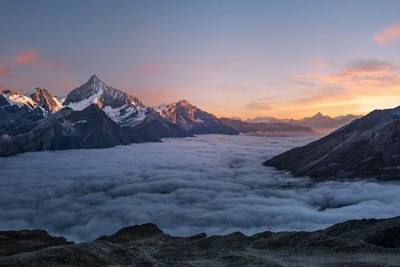
- 3Paste a URL to any image you want to preview in the image URL field. The default demo image is a landscape photo — swap it with your own image URL to see how the filters actually look on the content you're styling.
- 4When you're happy with the result, click Copy to get the CSS line. Paste it directly into your stylesheet. Apply it to an img element, a div with a background-image, or any other element. The filter applies to the element and all its children.
Fonctionnalités
- Live preview — see filter changes in real time without refreshing or re-applying
- 9 filter controls — blur, brightness, contrast, grayscale, hue-rotate, invert, opacity, saturate, sepia
- Quick presets — 9 one-click starting points including Grayscale, Vintage, Dramatic, Cool, and Warm
- Custom image URL — preview filters on your own images, not just the demo photo