CSSフィルタージェネレーター
ライブプレビューでCSSフィルター効果を作成します。ブラー、輝度、コントラスト、グレースケール、色相回転、彩度、セピアなどを調整し、すぐに使えるCSSをコピーしてください。
プリセット
ブラー0px
輝度100%
コントラスト100%
グレースケール0%
色相回転0deg
反転0%
不透明度100%
彩度100%
セピア0%
プレビュー画像URL(任意)
filter: none;
CSSフィルタープロパティ
CSSのfilterプロパティは要素にブラーや色変換などのグラフィック効果を適用します。複数のフィルターを組み合わせることができ、左から右の順に適用されます。
使い方
ライブプレビューでCSSフィルター効果を作成します。ブラー、輝度、コントラスト、グレースケール、色相回転、彩度、セピアなどを調整し、すぐに使えるCSSをコピーしてください。
- 1Start with a preset to see what's possible: Grayscale turns the image black and white, Vintage adds warmth and reduces contrast, Dramatic boosts contrast for a punchy look. Presets are a quick starting point — every slider is still adjustable afterward.
- 2Fine-tune individual filters with the sliders. Brightness and contrast together control overall exposure. Saturate adds or reduces color intensity — useful for making a dull photo pop without changing any other property. Hue-rotate shifts all colors around the wheel by a given number of degrees.
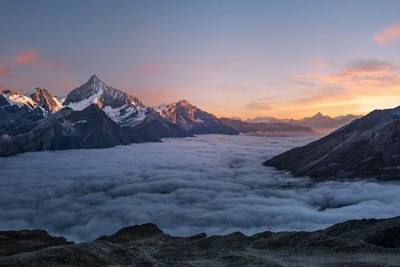
- 3Paste a URL to any image you want to preview in the image URL field. The default demo image is a landscape photo — swap it with your own image URL to see how the filters actually look on the content you're styling.
- 4When you're happy with the result, click Copy to get the CSS line. Paste it directly into your stylesheet. Apply it to an img element, a div with a background-image, or any other element. The filter applies to the element and all its children.
主な機能
- Live preview — see filter changes in real time without refreshing or re-applying
- 9 filter controls — blur, brightness, contrast, grayscale, hue-rotate, invert, opacity, saturate, sepia
- Quick presets — 9 one-click starting points including Grayscale, Vintage, Dramatic, Cool, and Warm
- Custom image URL — preview filters on your own images, not just the demo photo